Integrations
Wrike
Integrate MediaValet with Wrike to speed up project delivery. Eliminate time-consuming admin tasks, ensure brand consistency, and effortlessly manage assets within Wrike. Deliver your best work faster.
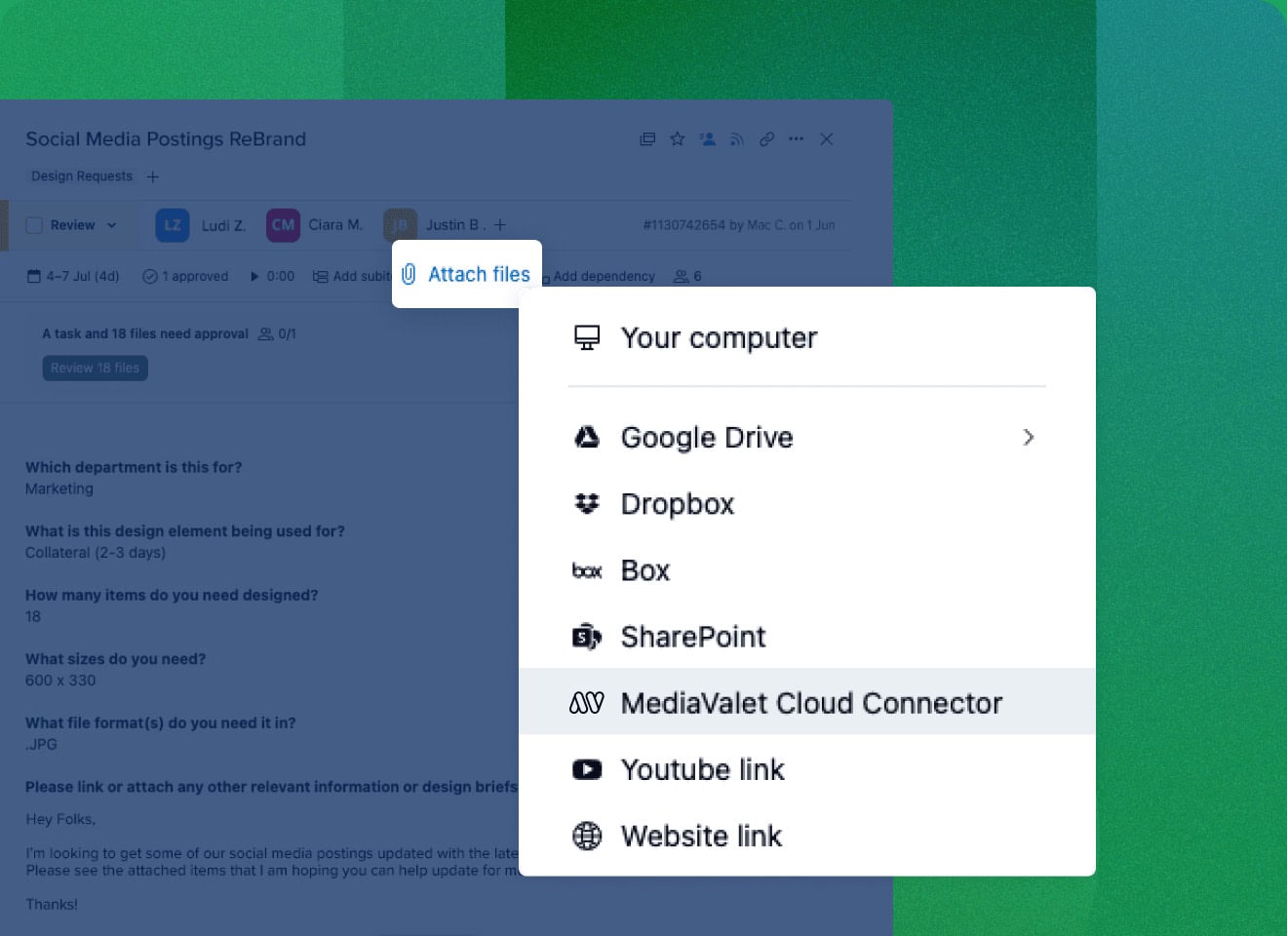
Collaboration from one platform
Streamline workflows by accessing, managing, and sharing digital assets directly within Wrike. Keep your team focused on their tasks without needing to switch between platforms to boost efficiency and enhance collaboration to deliver high-quality work on time.
- Access all your digital assets without leaving Wrike
- Push & pull assets effortlessly between MediaValet and Wrike
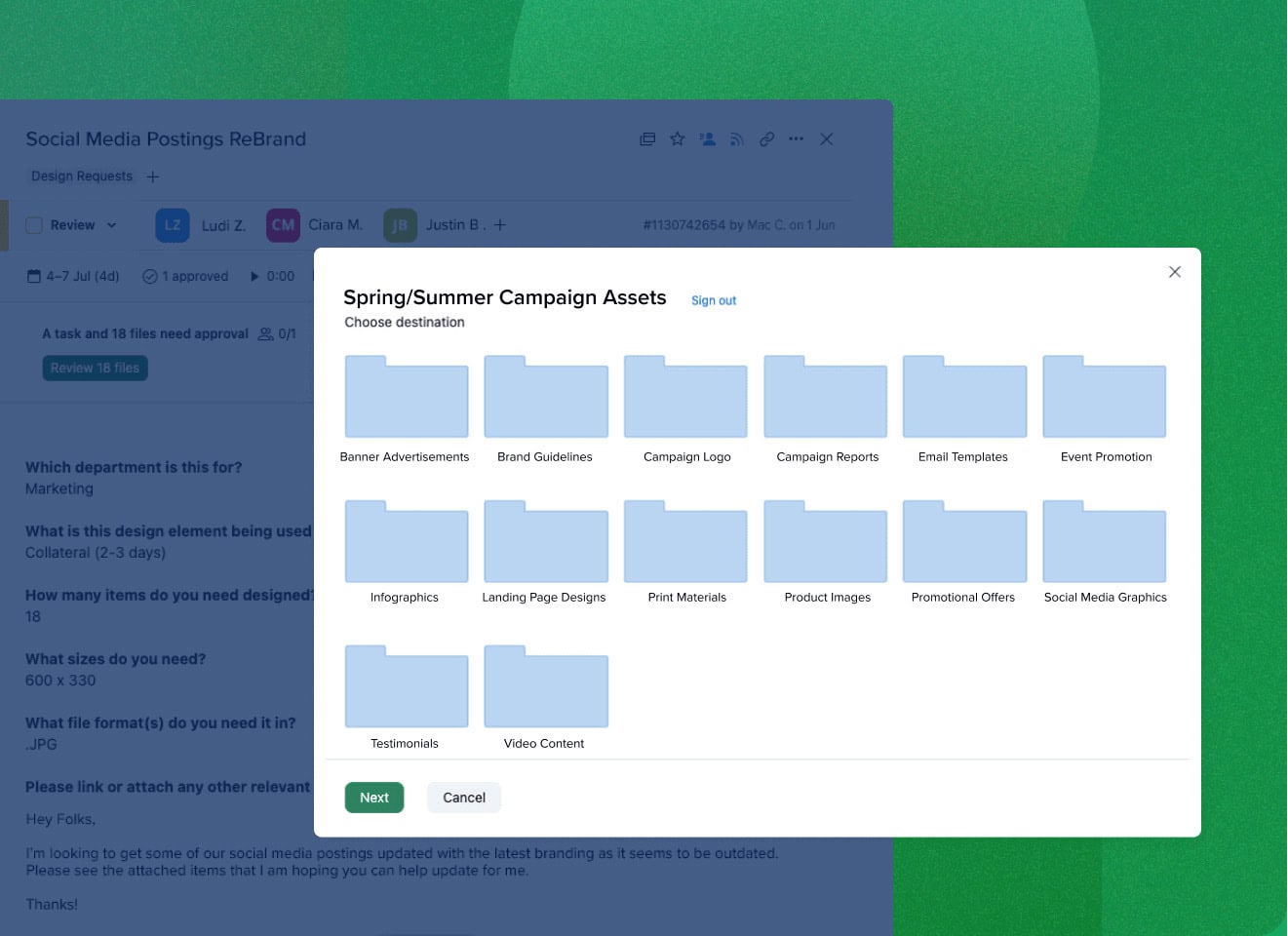
Publish and track assets with ease
Simplify feedback and iterations by ensuring everyone uses the most up-to-date files, reducing miscommunication and costly errors. Easily review designs or refine content, to make collaboration efficient and productive. Keep everyone aligned to accelerate project timelines and deliver high-quality results with ease.
- Collaborate on assets using Wrike’s proofing tools
- Easily publish latest improved versions to MediaValet from Wrike
- MediaValet versioning ensures only the latest assets are accessed
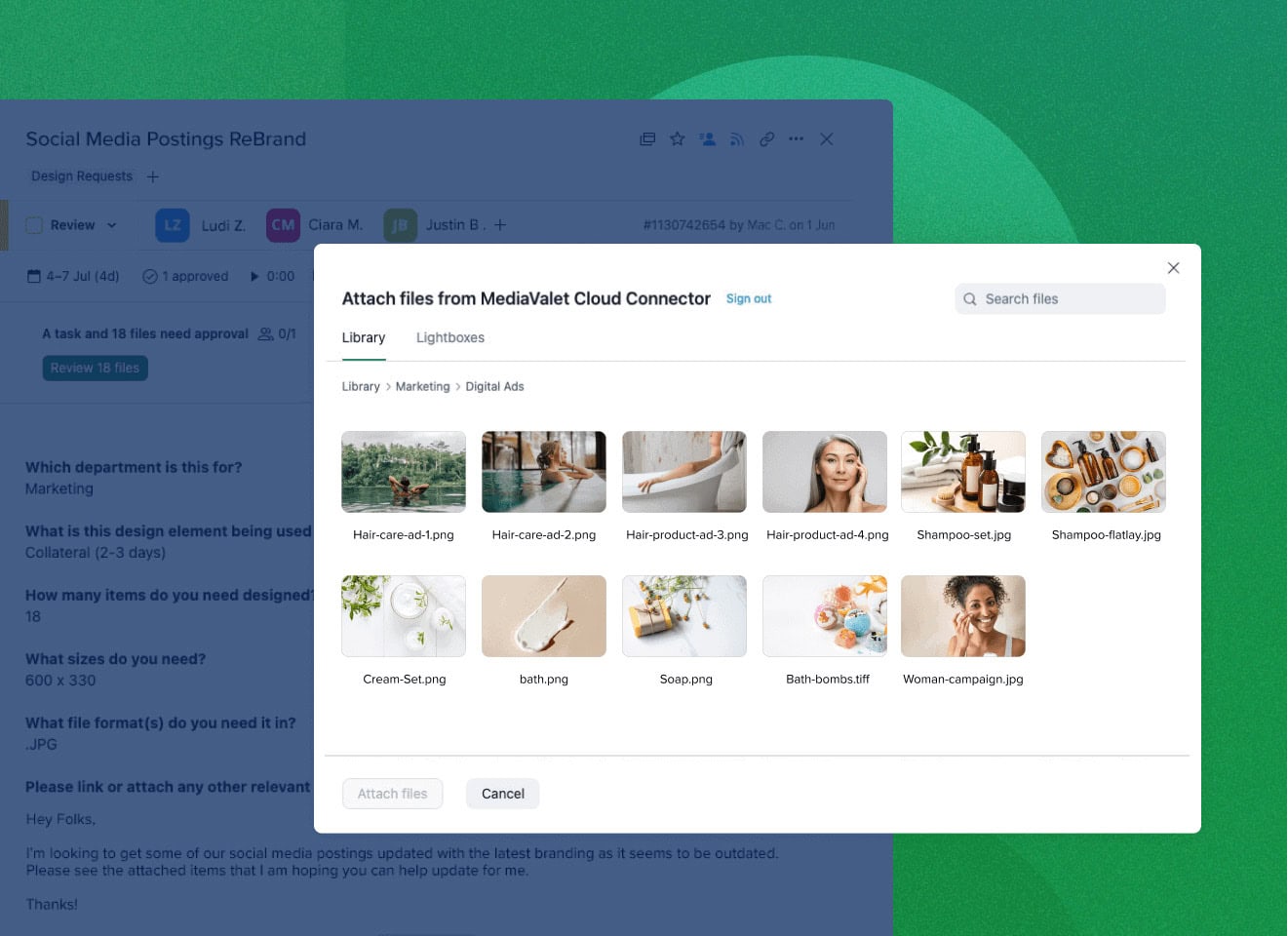
Find what you need as soon as you need it
Never waste time searching for assets again with MediaValet’s powerful search within Wrike. Quickly locate files by browsing categories or using advanced search by name, keywords, or metadata. This ensures the right resources are always at your fingertips, enhancing productivity and keeping projects on track, even on tight deadlines.
- Harness MediaValet’s advanced search capabilities within Wrike
- Tag found MediaValet assets directly in Wrike tasks
Customer Love Runs Red Hot
Being able to set up the entire workflow, and eliminating extra steps was key. . . implementing MediaValet has most certainly saved us time and money.

The entire workflow from asset request to approval, all happens in Wrike, making it effortless for our designers.

Frequently Asked Questions
bmp, .dng, .gif, .jpg, .pdf, .png, .raw, .3gp, .avi, .flv, .mov, .mp4. Please note that Adobe Creative Cloud files can also be supported through the Wrike Adobe Creative Cloud Extension.
Yes, users can upload to multiple categories.
Absolutely! You can benefit from our ready-to-use integrations or tailor them to align perfectly with your unique workflow and specific needs. The goal is to make asset management as seamless and efficient as possible for you and your team.
For any integration-related questions or assistance, feel free to contact our dedicated support team. We are here to help you every step of the way.